Downloaded Doesn't Mean Yours: The Fine Print Behind Streaming's 'Unlimited' Storage Promise
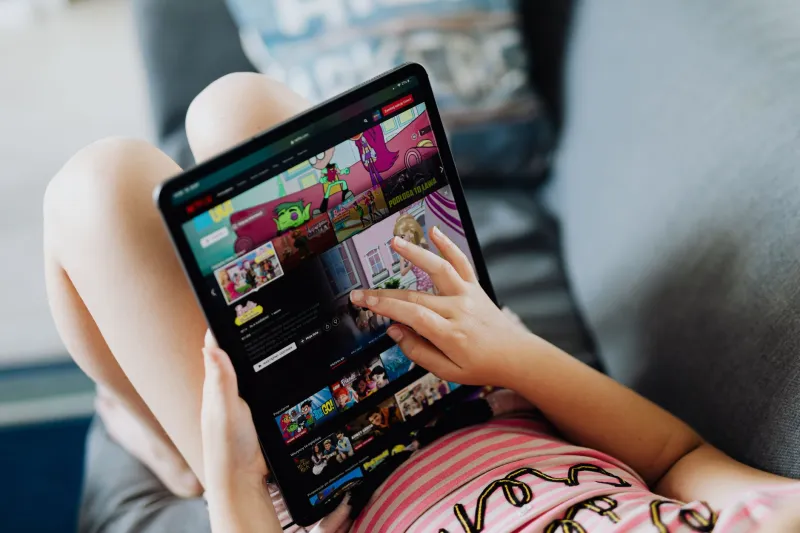
There's something deeply satisfying about tapping that little download arrow before a long flight. You queue up a few episodes, maybe a movie, and you feel set. Covered. Ready. What the platforms don't exactly rush to tell you is that those files — the ones sitting on your phone or tablet right now — come loaded with invisible strings attached.
The word "unlimited" gets thrown around a lot in streaming marketing. Unlimited downloads. Unlimited storage. Watch offline, anytime, anywhere. It sounds like freedom. In practice, it's a carefully managed illusion.
What 'Unlimited' Actually Means in the Fine Print
Let's start with the basics. When a major streaming platform says you can download "unlimited" content, they're usually not lying outright — they're just being extremely selective about what they tell you upfront.
Most platforms cap the number of titles you can have downloaded at any given time. Some set that ceiling at 25 titles. Others go up to 100. A few don't publish a number at all, which should immediately raise a flag. "Unlimited" in streaming speak often means "unlimited until we decide it isn't."
Beyond the title count, there are device restrictions. You might be allowed to download content to two, maybe three devices per account — and those device slots aren't always easy to swap out. Switch phones mid-year? You may find yourself locked out of a download slot until a waiting period clears, sometimes 30 days or more.
And then there's the expiration problem, which is probably the shadiest part of this whole setup.
Your Downloads Have an Expiration Date — Did You Know That?
Here's something a lot of people genuinely don't realize: downloaded content doesn't sit on your device indefinitely. It expires. Sometimes quickly.
Most platforms build a two-tier expiration system into their download feature. The first timer starts the moment you download something — you typically have 30 days to begin watching before the file self-destructs. The second timer kicks in once you actually press play — at that point, you might have as little as 48 hours to finish the content before it locks you out.
Think about that for a second. You download a movie for a weekend road trip, life gets busy, and three weeks later you finally sit down to watch it — only to find the file has already expired. You have to re-download it, which of course requires an internet connection, which somewhat defeats the entire point of downloading it in the first place.
Some platforms are upfront about these windows. Others bury them deep in their terms of service or only surface them in a tiny timestamp on the download itself. Either way, the clock is always running.
The DRM Layer Nobody Wants to Talk About
Underneath all of this is a technology called Digital Rights Management, or DRM. It's the reason your downloaded episodes can expire, why they won't play if your subscription lapses, and why you can't move them to another device or back them up to your own cloud storage.
Streaming platforms use DRM to maintain control over content even after it's technically sitting on your hardware. The file is yours in the sense that it's taking up space on your device — but the key that unlocks it lives on the platform's servers. Pull that key (cancel your subscription, let it lapse for a day, travel internationally), and the file becomes an inert block of data you can't do anything with.
This is the core of the "unlimited" lie. The storage isn't unlimited. The access isn't permanent. And the content was never really yours to keep.
How Platforms Use Downloads to Control Behavior
It's worth stepping back and asking why platforms offer downloads at all if they're going to restrict them so heavily. The answer is pretty straightforward: downloads keep subscribers from churning.
If you've got a season of something queued up for an upcoming camping trip, you're not canceling your subscription before that trip. Downloads create a psychological lock-in. They give you a reason to stay active on the platform even when you're not actively streaming.
The expiration windows serve a similar purpose. By forcing you to re-download content periodically, platforms ensure your device stays connected to their servers, your account stays active, and your engagement metrics stay healthy. It's less about giving you flexibility and more about keeping you tethered.
Some platforms have also been caught quietly reducing download quality — serving you a lower-resolution file for offline viewing than what you'd get streaming on a good connection. You're not always getting the same experience offline that you'd get live in the cloud, even if the platform doesn't advertise that distinction.
Platform-by-Platform: Who's the Worst Offender?
Without naming names in a way that dates this piece too quickly, here's what the general landscape looks like across major US streaming services:
- The big subscription players tend to be the most transparent about download limits, but they also have the most aggressive expiration timers — particularly on newly released content.
- Ad-supported tiers on premium platforms often don't allow downloads at all, or severely restrict them to a handful of titles per month.
- Sports and live content platforms almost universally prohibit downloads, which makes sense given the live nature of the content but still conflicts with their "watch anywhere" marketing.
- Rental and purchase platforms offer longer-lasting downloads but often restrict them to specific apps and won't let files transfer across ecosystems.
The common thread is that every platform has engineered its download system to serve the platform's interests first and the viewer's convenience second.
What You Can Actually Do About It
You can't rewrite a platform's DRM policies, but you can work smarter within the system they've built.
Check your download timestamps before you travel. Most apps show you exactly when a downloaded file expires. Get in the habit of checking that info before you board a flight or head somewhere without reliable Wi-Fi.
Re-download strategically. If you downloaded something more than a week ago and haven't started it, re-download it the day before you plan to watch. That resets your 30-day window.
Audit your device slots. If a platform limits you to three download devices, make sure those slots are occupied by devices you actually use. Log out of old phones and tablets you no longer own.
Use download features on platforms you're actively paying for. This sounds obvious, but a lot of people download content on a service and then pause their subscription before they finish watching. The files won't play without an active account.
Read the fine print on download quality. Some platforms let you choose download resolution in your settings. If you're watching on a tablet or TV stick, make sure you're not defaulting to a compressed mobile-quality file.
The Bottom Line
Cloud streaming has genuinely changed how we watch TV — for the better, in most ways. But the download feature, marketed as a perk that gives you total freedom, is one of the more misleading promises in the industry.
Unlimited isn't unlimited. Downloaded isn't owned. And the clock on that file you grabbed last Tuesday is already ticking.
The smarter move is to go in with clear eyes. Use the download feature — it's still useful — but don't build your viewing habits around the assumption that offline content will be there whenever you want it. Because in this industry, "whenever you want" almost always has an asterisk.